
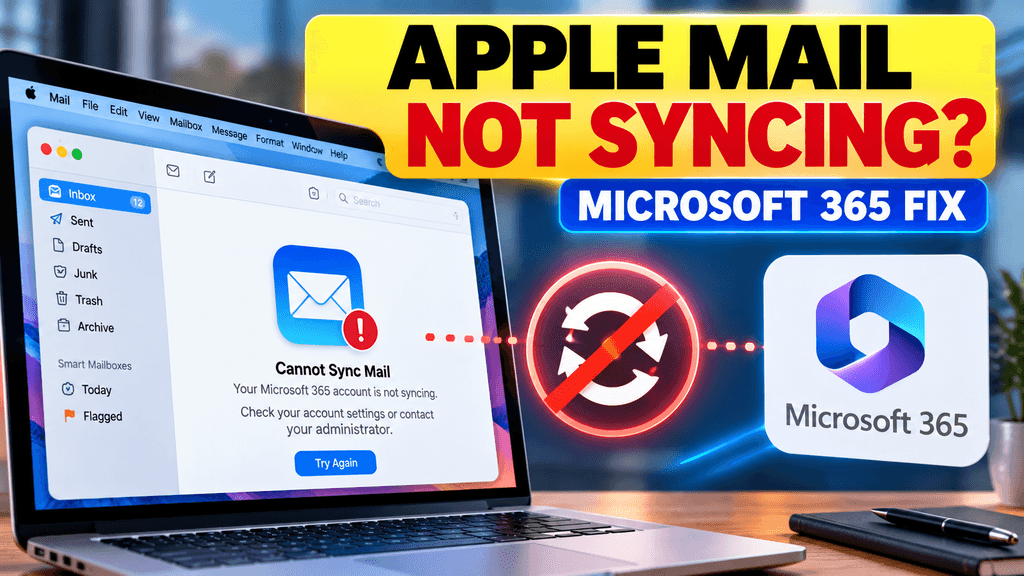
If Apple Mail suddenly stopped syncing a Microsoft 365 work account around October 2026, the problem may be Microsoft’s retirement of Exchange Web Services, or EWS, in Exchange Online. Microsoft began blocking EWS requests from October 1, 2026, and says the shutdown is being rolled out before EWS is fully disabled in April 2027. Microsoft Learn
This matters because Apple’s Mac apps have historically relied on EWS for Microsoft 365 integration, while Microsoft is moving customers toward Microsoft Graph. Recent Mac coverage warns that affected organizations may see Mail, Calendar, Contacts, Notes and Reminders stop syncing if their tenant loses EWS access. MacRumors
The good news is that not every sync problem is caused by EWS. Before changing accounts or reinstalling anything, first determine whether the issue is local to your Mac or tied to your Microsoft 365 organization.
Why Apple Mail may suddenly stop syncing
Microsoft announced years ago that EWS would eventually be retired in Exchange Online. In 2018, Microsoft stopped adding new features to EWS, and in 2023 it announced that Exchange Online would begin blocking EWS from October 2026. Microsoft Learn
The change applies to Exchange Online / Microsoft 365 cloud mailboxes.
It does not affect on-premises Exchange Server in the same way. Microsoft says EWS remains supported for on-premises Exchange. TECHCOMMUNITY.MICROSOFT.COM
For Mac users, that distinction matters.
If your company hosts email in Microsoft 365 and Apple Mail depends on EWS, the account can stop syncing even though the password, internet connection and mailbox itself are perfectly fine.
Fix 1: Check whether Outlook still works
This is the fastest diagnostic test.
Open Microsoft Outlook on the same Mac and sign in with the same Microsoft 365 account.
If:
Outlook works, but Apple Mail does not
then the problem is less likely to be your password or Microsoft account itself.
That pattern can point toward a protocol or client-specific issue, including EWS availability.
If both Outlook and Apple Mail fail, check Microsoft 365 service health, your account credentials and your network before assuming EWS is the cause.
Fix 2: Confirm the account is configured as Microsoft Exchange
Apple says Microsoft Exchange accounts on Mac should be added using the Microsoft Exchange account type rather than a generic mail account where applicable. Apple Support
On macOS:
- Open System Settings
- Go to Internet Accounts
- Select the Microsoft 365 account
- Confirm it is configured as Microsoft Exchange
If you previously added the mailbox manually as “Other Mail Account,” you may be using a different protocol or an unsupported setup.
Apple recommends removing and re-adding an account when the wrong provider was selected. Apple Support
However, this is important:
Re-adding the account will not fix an organization-wide EWS shutdown if Apple Mail still depends on EWS.
So do not repeatedly remove and add the mailbox if the same account works in Outlook but fails immediately again in Apple Mail.
Fix 3: Re-authenticate the Microsoft 365 account
If EWS has not yet been disabled for your tenant, the problem may simply be an expired authentication session.
Try:
- Open System Settings → Internet Accounts
- Select the Exchange account
- Re-enter credentials if macOS asks
- Confirm Mail is enabled for the account
- Restart Mail
Apple notes that Internet Accounts controls which apps can use an Exchange account, including Mail, Calendar and Contacts. Apple Support
If the account authenticates successfully but Mail still does not sync, move to the next steps.
Fix 4: Update macOS
Install the latest macOS updates available for your Mac.
This is especially important during the EWS transition because Apple is working with Microsoft on newer Microsoft 365 integration.
Recent reporting says Apple is working with Microsoft on moving its Mac apps away from EWS toward Microsoft Graph, but that transition was not yet complete at the start of October 2026. MacRumors
That means future macOS updates may change how Apple Mail connects to Microsoft 365.
Check:
System Settings → General → Software Update
After updating, restart the Mac and test Mail again.
Fix 5: Check whether the problem started exactly after October 1
Timing is a useful clue.
Microsoft says it began blocking EWS requests in Exchange Online from October 1, 2026, with a phased rollout rather than one simultaneous global shutdown. Microsoft Learn
Ask:
- Did Apple Mail work normally on September 30?
- Did it fail on or shortly after October 1?
- Does Outlook still work?
- Do other Exchange-based Mac apps also stop syncing?
- Are multiple users in the same company affected?
If several Mac users in the same Microsoft 365 tenant lose Mail synchronization around the same time, that is a much stronger sign of an organization-level EWS change.
Fix 6: Ask your Microsoft 365 admin to check EWS access
If you are using a company or school account, the real fix may need to come from your Microsoft 365 administrator.
Microsoft recommends organizations identify remaining EWS dependencies and migrate them toward Microsoft Graph. Microsoft Learn
An admin should check:
- Whether EWS has been blocked for the tenant
- Whether any temporary EWS exception is still available
- Whether Apple Mail users are still dependent on EWS
- Whether users can move to Outlook or another Graph-compatible client
- Whether affected accounts use license types with additional EWS restrictions
Microsoft also began enforcing EWS restrictions for certain frontline and kiosk licenses from October 1, including Exchange Online Kiosk and Microsoft 365/Office 365 F1 and F3. TECHCOMMUNITY.MICROSOFT.COM
So licensing can matter too.
Fix 7: Use Outlook as the temporary workaround
If Apple Mail stops because EWS has been disabled, the most practical short-term workaround is usually to use a client that already supports Microsoft’s newer APIs.
Microsoft Outlook is the obvious option for Microsoft 365 accounts.
Recent reporting specifically recommends Outlook as a Graph-compatible alternative while Apple completes its transition away from EWS. MacRumors
This is not necessarily permanent.
If Apple adds full Microsoft Graph support to Mail in a future macOS update, users may be able to return to Apple Mail without relying on EWS.
What will not fix an EWS shutdown
Some normal troubleshooting steps are useful for local problems but will not solve a protocol shutdown.
These include:
- Restarting the Mac repeatedly
- Deleting Mail cache
- Resetting the password
- Removing and re-adding the account over and over
- Changing Wi-Fi networks
- Reinstalling macOS
If the tenant has lost EWS access and Apple Mail still requires EWS, those actions will not restore the connection.
That is why checking Outlook first is so useful.
Are iPhone and iPad affected?
Not in the same way.
Recent reporting notes that iPhone and iPad use Exchange ActiveSync rather than relying on EWS in the same way as Apple’s Mac apps. MacRumors
So you may see this pattern:
Mac Apple Mail: no longer syncing
iPhone Mail: still working
Outlook: still working
That pattern would strongly suggest the problem is specific to the Mac client path rather than the mailbox itself.
Is on-premises Exchange affected?
No, not by this Exchange Online EWS retirement.
Microsoft says the October 2026 retirement applies to Microsoft 365 and Exchange Online. EWS for on-premises Exchange Server continues to be supported. TECHCOMMUNITY.MICROSOFT.COM
So if your company runs its own Exchange Server, this particular retirement is not the first thing to investigate.
How to tell whether EWS is probably the cause
The strongest combination of symptoms is:
- Microsoft 365 cloud mailbox
- Apple Mail on Mac stopped syncing around October 2026
- Outlook still works
- iPhone/iPad still work
- Multiple Mac users in the same organization are affected
That does not prove EWS is the cause, but it makes it much more likely.
If only one Mac is affected, start with local account and authentication troubleshooting first.
Bottom line
If Apple Mail suddenly stops syncing a Microsoft 365 work account in October 2026, do not assume your password is wrong.
Microsoft has started retiring EWS in Exchange Online, with EWS requests being blocked from October 1, 2026 and a full shutdown planned for April 2027. Microsoft Learn
The quickest diagnostic sequence is:
Check Outlook → confirm the Exchange account → update macOS → ask your Microsoft 365 admin whether EWS was disabled.
If Outlook works but Apple Mail does not, using Outlook temporarily may be the cleanest workaround until Apple’s Mac apps fully move to Microsoft Graph. MacRumors
Sources
Microsoft EWS retirement documentation
Microsoft Exchange Team announcement
Apple Mail account setup guide


Pingback: Intune Sign-In Fails on iOS 27: Tested Workaround for Personal iPhones