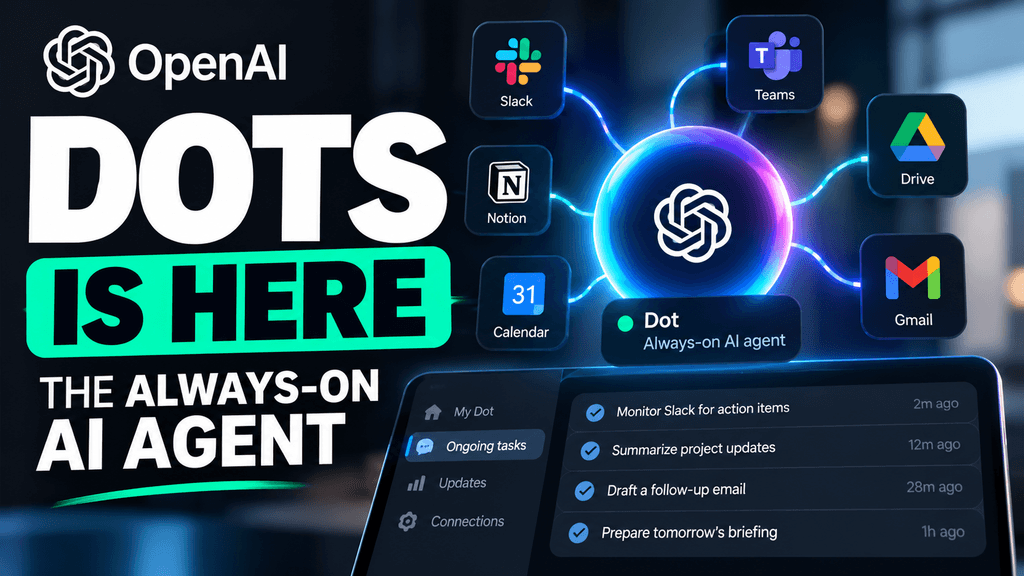
OpenAI Dots is a new always-on AI agent designed to keep working toward a user’s goals across connected apps instead of waiting for one prompt at a time. Announced at OpenAI DevDay 2026, Dots can reportedly work through services such as Slack and Microsoft Teams, use a cloud computer, maintain context over time and take actions on the user’s behalf within configured permissions. Reuters
That makes Dots different from a normal ChatGPT conversation.
Instead of asking:
“Summarize these messages.”
you could potentially give a Dot an ongoing goal such as:
“Keep track of this project, prepare updates, and tell me when something needs my attention.”
That shift—from answering questions to continuously managing work—is the real significance of the product.
What exactly is OpenAI Dots?
OpenAI introduced Dots during its September 29, 2026 DevDay event in San Francisco. Reuters, The Verge and Axios describe Dots as always-on AI assistants or agents that can operate across connected apps and continue working toward goals over time. OpenAI DevDay
The Verge reports that Dots run on GPT-6 Astra and can work across more than 4,000 connected applications. Users can interact with them through ChatGPT, text, voice and workplace platforms such as Slack and Microsoft Teams. The Verge
At launch, users can create one Dot, with OpenAI reportedly planning broader multi-agent support later. Axios
What does “always-on” actually mean?
“Always-on” does not mean the agent is literally watching everything you do without limits.
It means the Dot can keep running in the cloud and continue certain approved tasks even when you are not actively typing into ChatGPT. Reuters says Dots are designed to autonomously manage user goals across apps, while The Verge describes them as proactive agents that can suggest or execute tasks and maintain context across services. Reuters
In practical terms, that could mean:
- Updating a sales proposal when new information arrives
- Preparing project summaries
- Watching a workflow across Slack or Teams
- Drafting follow-up actions
- Organizing files or content
- Continuing a research or coding task
- Building or updating demos
Reuters specifically cites tasks such as updating sales proposals and building demos. Reuters
How is Dots different from normal ChatGPT?
Normal ChatGPT is mostly session-based.
You ask a question, receive an answer, and continue the conversation.
Dots move closer to an ongoing assistant model:
Normal ChatGPT:
Prompt → answer → stop
OpenAI Dots:
Goal → observe approved context → act → report back → continue
That distinction is important.
The value of Dots is not necessarily that the underlying model can answer questions better. The product is about giving the model persistence, tools, app access and enough autonomy to continue a workflow without constant prompting.
Where can OpenAI Dots work?
Current launch coverage says Dots can integrate with workplace apps including:
- Slack
- Microsoft Teams
- ChatGPT
- Connected business applications
The Verge reports support for thousands of connected apps, while Reuters highlights Slack and Teams specifically. Reuters
Slack has already been positioning itself as a platform where AI agents from companies including OpenAI, Anthropic, Google and Perplexity can operate inside workplace conversations. Slack
That makes workplace communication one of the clearest early use cases.
Can Dots use a computer?
Yes, according to current launch reporting.
The Verge says users can monitor a Dot through its cloud computer, while Reuters says Dots operate on dedicated cloud infrastructure. Reuters
That matters because it means the agent can potentially do more than call simple APIs.
A cloud-computer environment can let an agent interact with interfaces, move between applications and complete multi-step tasks more like a human assistant.
That also increases the safety risk.
The more access an agent has, the more important permissions and approval controls become.
What safety controls does OpenAI use?
OpenAI has reportedly added several controls around Dots.
Reuters says the system uses customizable permissions and safeguards around sensitive actions. The Verge also reports custom action rules and an automatic review system designed to check whether the Dot stays within the user’s instructions. Reuters
High-risk actions may require manual approval.
That is important because an autonomous agent can make mistakes differently from a chatbot.
A chatbot might give you a bad answer.
An autonomous agent could potentially:
- Send the wrong message
- Modify a document
- Change a workflow
- Take an action in another app
- Access information it should not use
So permission boundaries matter much more.
What about privacy?
Reuters reports that OpenAI says business data is not used for training by default, while personal users can opt out of training. Reuters
That is especially relevant for a product designed to connect to workplace systems.
A Dot may potentially see:
- Internal messages
- Company documents
- Customer data
- Project information
- Sales material
- Code
- Internal workflows
Businesses should therefore treat Dots more like a privileged software agent than a normal chatbot.
Before giving it access, administrators should understand exactly:
- Which apps it can access
- Which actions it can perform
- Whether logs are retained
- Who can review its activity
- Which actions require human approval
Who can use OpenAI Dots?
According to Axios, The Verge and the Financial Times, Dots are initially available to higher-tier users, including ChatGPT Pro, Business and Enterprise-related plans, though exact plan naming varies across early reports. Axios
The important point is that Dots are not a general free-tier feature at launch.
OpenAI appears to be targeting professional and business use first.
That makes sense because the strongest current use cases involve connected workplace tools rather than casual chat.
How is OpenAI Dots different from Gemini Spark?
The two products are conceptually similar.
Both aim to move beyond ordinary chat and toward a persistent AI assistant that can carry out multi-step work.
Gemini Spark is positioned around cloud-based ongoing tasks and connected Google services, while OpenAI Dots appears more strongly focused on cross-app workplace workflows and integrations such as Slack and Teams.
The overlap is significant:
- Persistent context
- Background work
- Connected apps
- Multi-step actions
- User permissions
- Ongoing goals
The difference may ultimately come down to ecosystem.
Users deeply invested in Google Workspace may prefer Gemini’s environment.
Organizations already using ChatGPT, Slack and Microsoft Teams may find Dots more natural.
Is OpenAI Dots the same as ChatGPT Agent?
Not exactly.
A normal agent mode can perform tasks during a session.
Dots are designed to be more persistent.
The important difference is continuity.
A Dot is intended to remember an ongoing goal and continue working over time instead of needing a fresh instruction every time something changes.
That makes it closer to a long-running digital worker than a single agent session.
What are the biggest risks?
The main risk is autonomy.
The more independently an AI system can act, the more damaging an incorrect decision can become.
OpenAI’s launch comes amid broader industry concern about autonomous-agent safety. Reuters notes that OpenAI had previously shelved a newer Astra release after trust concerns connected with internal agent incidents. Reuters
That does not mean Dots is unsafe by default.
It means companies should not treat an autonomous AI agent like an ordinary productivity feature.
The sensible approach is:
- Give it the minimum permissions needed
- Require approval for sensitive actions
- Review activity logs
- Start with low-risk workflows
- Avoid giving unrestricted access to critical systems
- Test each integration carefully
Who should use Dots?
Dots makes the most sense for people with recurring digital workflows.
Possible users include:
- Project managers
- Sales teams
- Developers
- Researchers
- Content teams
- Operations teams
- Executives managing many information streams
A good first use case is something repetitive but reversible.
For example:
“Every morning, summarize this Slack channel and prepare a draft list of actions. Do not send anything without approval.”
That gives the agent useful work while keeping humans in control.
Who probably does not need it?
If you mainly use ChatGPT for:
- occasional questions
- writing emails
- translation
- brainstorming
- one-time research
then Dots may be unnecessary.
The biggest value appears when the assistant needs to maintain context and continue acting over time.
For simple prompts, normal ChatGPT is likely enough.
What we still do not know
Dots launched only today, so several important questions still need real-world testing.
We do not yet know:
- How reliable it is over days or weeks
- How often it makes incorrect autonomous decisions
- How well it handles conflicting instructions
- How much supervision it actually needs
- Which integrations work best
- How frequently users need to approve actions
- Whether the productivity gains justify the extra access
Bottom line
OpenAI Dots is a persistent AI agent designed to keep working toward goals across connected apps instead of waiting for individual prompts.
It can reportedly interact with tools such as Slack and Microsoft Teams, run in a cloud environment, maintain ongoing context and perform approved actions in the background. Reuters
That makes Dots one of OpenAI’s clearest moves away from the traditional chatbot model.
But the biggest question is not whether it can automate work.
It is whether users can give an always-on AI enough access to be genuinely useful without giving it too much control.
That will only become clear after real-world testing.
Sources
Reuters — OpenAI launches Dots
OpenAI takes on Meta with always-on Dots agent
The Verge — OpenAI launches Dots
OpenAI launches Dots, its Muse competitor
Axios — OpenAI Dots at DevDay
OpenAI debuts Dots
OpenAI — DevDay 2026
OpenAI DevDay 2026