
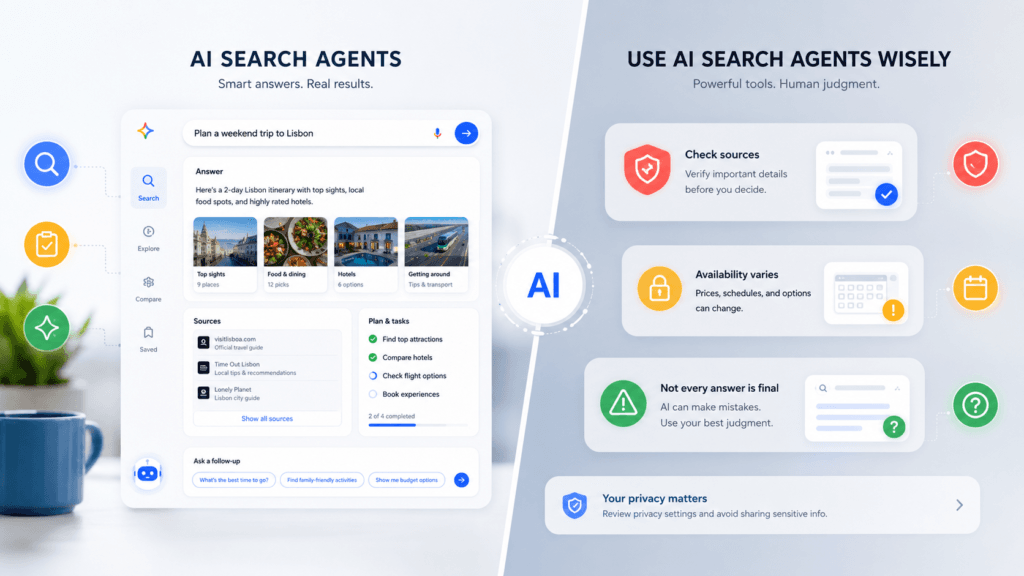
Google is turning Search from a tool that finds webpages into a system that can research options, compare results, build plans, and help users complete certain tasks.
These capabilities appear mainly inside AI Mode, Google’s conversational search experience. Instead of entering several separate searches, users can describe the entire task and ask follow-up questions. AI Mode breaks complex requests into smaller searches and gathers information from multiple web sources.
What can Google’s AI Search agents do?
Plan a trip
AI Mode can build travel plans using flight, hotel, attraction, and map information.
For example:
Plan a four-day trip to Lisbon for two people under €1,200, close to public transport.
Google’s Canvas travel feature can organize flights, hotels, attractions, and maps into a reusable itinerary. Users can then refine the plan through follow-up questions.
It can save research time, but prices and availability may change before booking.
Find reservations and appointments
Google’s agentic Search features can search for:
- Restaurant reservations
- Event tickets
- Beauty appointments
- Wellness services
- Other local availability
Users can provide details such as date, time, location, party size, and preferences. AI Mode searches available options and may direct the user to the final booking page.
The agent does not necessarily complete every booking automatically. The user may still need to review and confirm the final reservation.
Check local prices and availability
AI Mode can research whether a product is available nearby, compare service prices, and look for appointment slots.
Google says the system may collect information from websites, fill in forms, or contact businesses when the required information is not available online.
This could be useful for searches such as:
Find a repair shop near me that can replace an iPhone battery this week for under €100.
Results still need verification because local prices, stock, and schedules can change quickly.
Read also : Adobe Firefly AI Assistant: Uses, Costs and Limits
Compare products
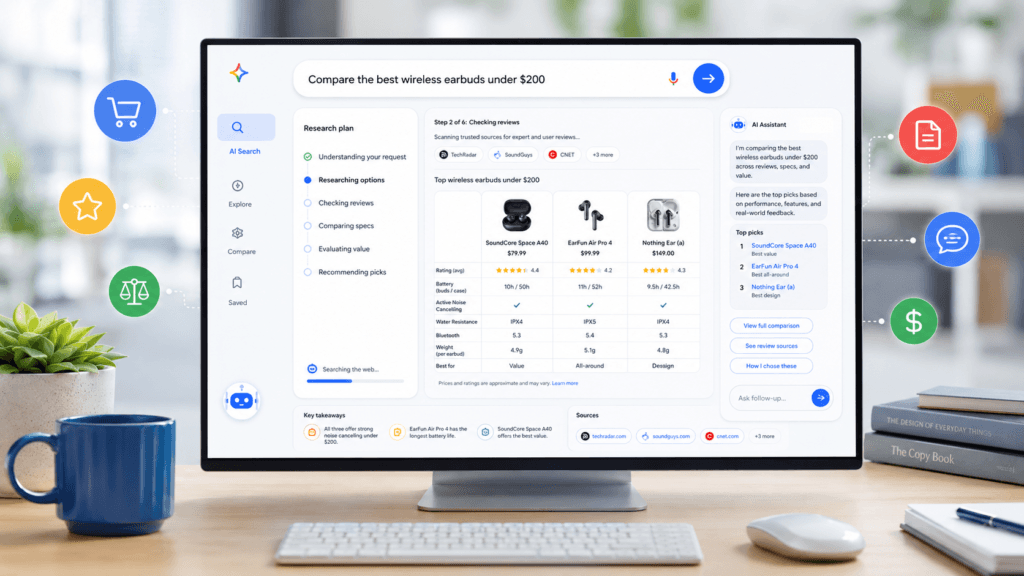
AI Mode can research products, compare specifications, summarize reviews, and help users narrow down options.
A better request would be:
Compare three wireless earbuds under €200 with strong noise cancellation and multipoint Bluetooth.
Google is also expanding agent-based shopping features, including shopping carts and supported checkout systems. Availability depends on the country and participating retailers.
Answer complex follow-up questions
Unlike a normal search result page, AI Mode allows users to continue the same conversation.
You can ask:
- Which option is cheapest?
- Which hotel is closest to the city centre?
- Remove products without water resistance.
- Show only appointments available after 17:00.
- Explain why you recommended this option.
AI Mode uses a technique that breaks a question into several subtopics and performs multiple searches before creating an answer.
What Google AI Search agents cannot reliably do
AI Search agents are not guaranteed to provide complete or correct results.
They may:
- Miss a cheaper option
- Use outdated prices
- Misread availability
- Oversimplify reviews
- Recommend sponsored or incomplete listings
- Misunderstand a complicated request
- Produce an answer that is not supported by the linked source
Google warns that AI-generated Search responses can contain mistakes.
For expensive purchases, travel bookings, medical decisions, financial choices, or legal questions, users should open the original sources and verify the details.
Who can use the agent features?
Availability is currently inconsistent.
Some AI Mode features are broadly available, while more advanced agentic experiments may require:
- A supported country
- English language
- Age 18 or older
- Search Labs access
- A Google AI Pro or Ultra subscription
- A compatible Google account
Google’s current documentation states that some agentic AI Mode features remain limited to eligible subscribers and regions.
Users in Germany and other European countries may not receive every feature at the same time as users in the United States or United Kingdom.
Privacy considerations
AI Mode may use information from your search activity and, for supported personalized features, connected Google services.
Google’s Personal Intelligence feature can use information such as Gmail travel confirmations or shopping preferences when the user allows it.
Avoid entering confidential work information, medical records, financial data, passwords, or private customer details into an AI search request.
Check your Google account activity and personalization settings before enabling connected features.
Are Google’s AI Search agents useful?
They are most useful when a task normally requires several searches.
Good use cases include:
- Comparing several products
- Creating an initial travel plan
- Finding restaurants that match detailed requirements
- Checking local availability
- Researching services and appointments
- Organizing information from multiple websites
They are less suitable when accuracy must be guaranteed or when the user already knows the exact website or service needed.
Final recommendation

Google’s AI Search agents can reduce the time spent opening tabs, comparing options, and reorganizing search results.
The useful part is not simply receiving an AI answer. It is the ability to give Search a multi-step task and refine the result through follow-up questions.
However, the feature should be treated as a research assistant, not an automatic decision-maker. Check the linked sources, confirm live prices and availability, and review every booking before paying.



Pingback: Gemini Spark Explained: What Can Google’s AI Agent Do?
Pingback: Elon Musk Predicts Money Won't Matter by 2036: What It Means
Pingback: NVIDIA Buys Hugging Face for $12.9B: What Changes?