
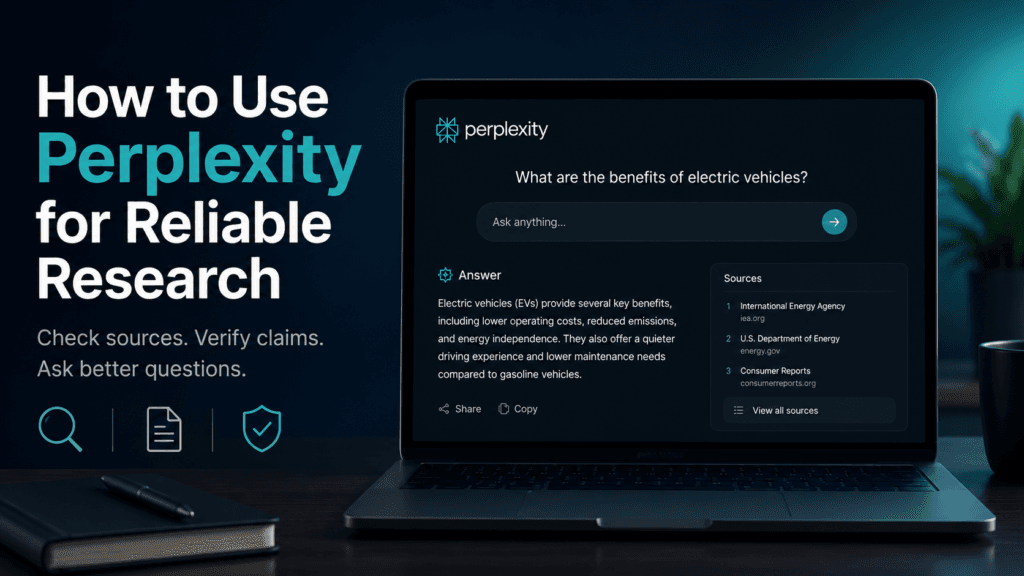
Perplexity can search the web, summarize information and show sources beside its answers. That makes it useful for research, but the citations do not guarantee that every conclusion is correct.
The safest workflow is simple: ask a focused question, inspect the sources, refine the search and verify important claims using the original pages.
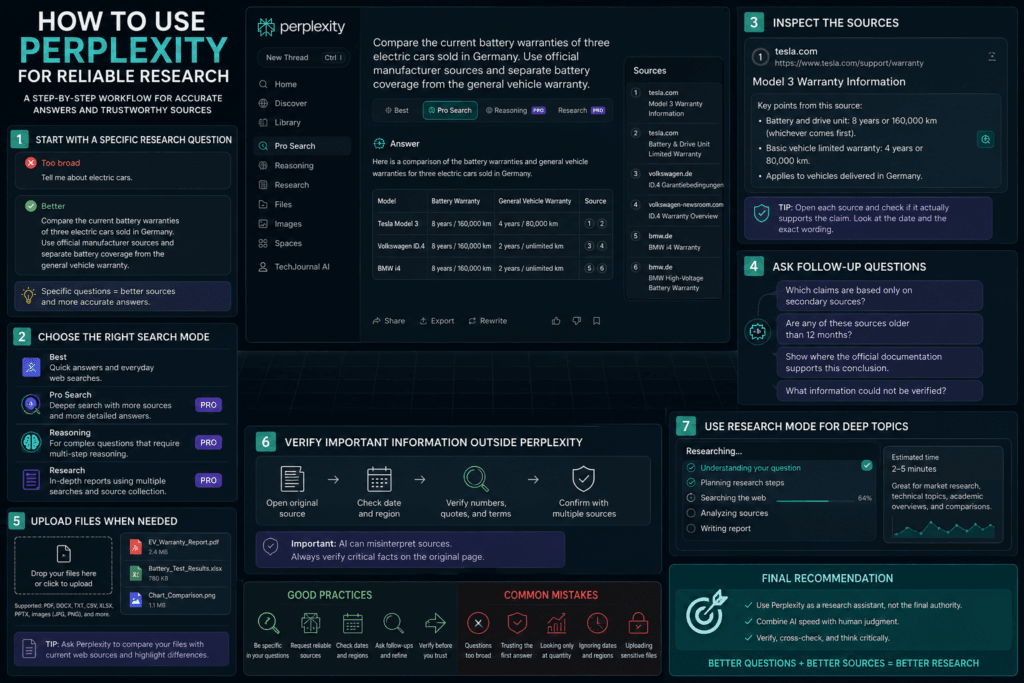
1. Start with a specific research question
Avoid broad prompts such as:
Tell me about electric cars.
Use a question with a clear task, location and timeframe:
Compare the current battery warranties of three electric cars sold in Germany. Use official manufacturer sources and separate battery coverage from the general vehicle warranty.
Specific questions help Perplexity understand what information it needs and which sources are relevant.
2. Choose the correct search mode
Perplexity currently offers different search modes for different tasks.
Best mode
Use this for quick questions and normal web searches.
Pro Search
Use Pro Search when the question requires more sources, comparison or deeper investigation. Perplexity describes it as an advanced search mode for more detailed answers.
Reasoning Search
Use this when the question requires several connected steps or more complex reasoning.
Research mode
Use Research mode for longer reports that require multiple searches and source collection. It is slower than normal search and is better suited to market research, technical comparisons and detailed topic overviews.
Do not use Research mode for simple facts. It wastes time and can produce an unnecessarily long answer.
3. Tell Perplexity which sources to prefer
Add source requirements directly to the prompt.
For example:
Use official government and manufacturer sources. Avoid affiliate websites and unsourced blogs.
For a technical question:
Use official documentation and release notes. Mention the software version and publication date.
For health, financial or legal topics, official sources are especially important.
Perplexity may still include secondary sources, so check the source list before relying on the answer.
4. Open the citations
Perplexity places source links beside claims.
Check:
- Whether the source actually supports the sentence
- When it was published
- Whether it describes the correct country or product version
- Whether it is an official source
- Whether the answer removed an important exception
- Whether several citations repeat the same original report
More citations do not automatically mean better research.
A weak article cited ten times remains a weak source.
5. Ask follow-up questions
The first answer should be treated as a starting point.
Useful follow-ups include:
Which claims are based only on secondary sources?
Are any of these sources older than 12 months?
Show where the official documentation supports this conclusion.
What information could not be verified?
Separate confirmed facts from your interpretation.
These questions can expose gaps or unsupported conclusions.
6. Upload documents when needed
Perplexity supports files such as PDFs, documents, images and spreadsheets. Files can be added through the attachment button or by dragging them into a session.
A useful prompt is:
Compare this uploaded report with current official web sources. Clearly identify where the report is outdated.
Long files may not always be analyzed completely. Ask about specific sections and verify the document directly.
Do not upload confidential business, customer, legal or medical files without checking your organization’s rules.
7. Verify important information outside Perplexity
For important claims, open the original source in a browser.
Verify details such as:
- Prices
- Dates
- Software versions
- Product availability
- Laws and regulations
- Medical recommendations
- Financial figures
- Direct quotations
AI tools can misunderstand sources even when they provide a valid citation.
Common mistakes
Asking questions that are too broad
Broad prompts produce generic summaries and mixed-quality sources.
Trusting the first answer
The first response may omit disagreements or recent changes.
Looking only at the number of citations
Source quality matters more than quantity.
Asking for a conclusion before defining the criteria
Instead of:
Which laptop is best?
Ask:
Compare these laptops for battery life, display quality and video editing under €1,200.
Uploading sensitive files
Perplexity says some consumer data may be used to improve its systems unless the user opts out in account settings. Enterprise plans follow different data rules.
What Perplexity does well
Perplexity is useful for:
- Finding relevant sources quickly
- Comparing several viewpoints
- Summarizing current web information
- Asking follow-up questions
- Researching unfamiliar topics
- Locating official documentation
- Creating an initial research outline
What it does poorly
Perplexity can still:
- Cite weak sources
- Misinterpret a webpage
- Combine facts from different dates
- Miss regional differences
- Overstate a conclusion
- Ignore relevant information
- Produce incorrect quotations
- Treat opinion as fact
It should not replace reading the original sources.
Final recommendation
Perplexity is most useful as a research assistant, not as the final authority.
Use it to find information and organize the first stage of research. Then inspect the citations, open the original pages and verify anything important.
The best workflow is:
- Ask a narrow question.
- Choose the appropriate search mode.
- Request reliable sources.
- Inspect the citations.
- Ask follow-up questions.
- Verify the final claims manually.
That approach gives you the speed of AI search without blindly trusting the answer.
Internal links:
- Perplexity Free vs Pro: Is the Upgrade Worth It?
- NotebookLM vs ChatGPT for PDFs
- How to Use NotebookLM With PDFs
Pingback: Gemini Spark Explained: What Can Google’s AI Agent Do?
Pingback: Can ChatGPT Analyze Google Search Console Data?
Pingback: ChatGPT vs Claude vs Perplexity for Research: Which Is Best?
Pingback: Perplexity vs ChatGPT Deep Research: Which Is Better?