
Hostinger looks cheap. But what do you actually get for the money?
For beginners, blogs, portfolio sites, and many small WordPress websites, Hostinger offers a relatively simple way to get online without paying much upfront. The bigger issue is what happens later: promotional prices usually require longer commitments, and renewal pricing can be considerably higher.
That does not make Hostinger bad. It simply means you should judge it on the full cost, not the first number you see.
Quick verdict
Hostinger is a good fit when you want:
- Low initial hosting costs
- Simple WordPress setup
- SSL included
- A beginner-friendly control panel
- Basic website and email tools
- Hosting for a blog or small business site
It is less suitable when you need:
- Full server control
- Guaranteed dedicated resources
- Complex backend configurations
- Very high traffic
- Advanced development environments
- Predictable long-term pricing without promotional changes
For a first website, Hostinger is easy to recommend. For a large or technically demanding site, shared hosting may become restrictive.
Read also : AI Cyberattacks Are Getting More Dangerous: 7 Ways to Protect Yourself
What does Hostinger actually offer?
Hostinger sells several types of hosting:
- Shared web hosting
- Managed WordPress hosting
- Cloud hosting
- VPS hosting
- Website Builder plans
- Domain registration
- Email-related services
Hostinger itself positions shared hosting as suitable for beginners and small businesses, while cloud hosting offers more resources and VPS provides more backend control.
That distinction is important.
A beginner launching a blog does not need the same hosting setup as a developer running a custom application.
Why is Hostinger so cheap at first?
The low advertised price usually applies when you pay for a longer term upfront.
Hostinger explicitly offers lower effective monthly prices on long plans, while monthly billing is available at a higher rate.
This means a price shown as, for example, a few euros per month may require paying for several years in advance.
That is not unusual in web hosting, but beginners often overlook it.
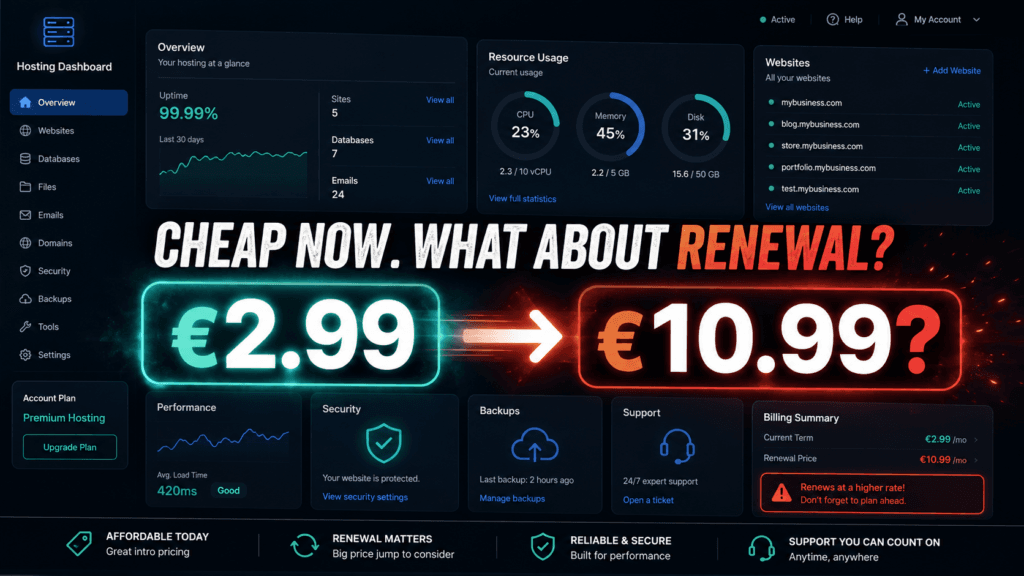
The real issue: renewal pricing
This is the part you should check before buying.
Hostinger shows the renewal price inside:
Billing → Subscriptions
The renewal amount is displayed separately from the promotional purchase price.
Current Hostinger offers can show a large gap between introductory and renewal pricing. For example, Hostinger’s AI Website Builder page currently lists promotional prices of $2.99 and $3.99 per month on long commitments, with renewal prices of $10.99 and $16.99 per month respectively.
Those exact figures are for those specific plans and can change, but they demonstrate why the renewal price matters.
Before buying
Check:
- Introductory price
- Number of months you must prepay
- Renewal price
- VAT or local taxes
- Domain renewal cost
- Email pricing after any free period
- Backup features
- Website limits
Do not compare hosting companies using only their discounted first-year price.
Is Hostinger easy to use?
Yes, this is one of its strongest points.
Hostinger uses its own control panel called hPanel rather than the traditional cPanel interface used by many hosts.
For beginners, hPanel handles most common tasks such as:
- Creating websites
- Installing WordPress
- Managing domains
- Creating email accounts
- Accessing backups
- Managing SSL
- Checking billing
- Managing databases
You do not need to know server administration to run a normal WordPress site.
That simplicity is valuable if your main goal is publishing content rather than learning hosting infrastructure.
What about WordPress?
Hostinger is suitable for standard WordPress websites.
Typical uses include:
- Blogs
- News websites
- Affiliate sites
- Local business websites
- Portfolios
- Small online stores
For those sites, shared or managed WordPress hosting is usually enough at the beginning.
The important point is that hosting alone does not guarantee a fast WordPress site.
Performance also depends on:
- Theme quality
- Plugins
- Image sizes
- Caching
- Fonts
- Ad scripts
- Analytics scripts
- Database size
A poorly optimized WordPress site can still be slow on decent hosting.
Read also : Dyson’s £420 Camera Toothbrush: Is the CameraJet Actually Worth It?
Uptime
Hostinger states that its hosting includes a 99.9% uptime guarantee.
That does not mean a site will never go offline.
Maintenance, infrastructure problems, configuration errors, or plugin failures can still cause downtime.
Hostinger also publishes a public status page showing scheduled maintenance and service incidents.
For a serious website, use an independent uptime monitor rather than relying only on the host’s dashboard.
What Hostinger does well
Low barrier to entry
You can launch a website without a large upfront technical investment.
Beginner-friendly interface
hPanel is easier for many beginners than traditional server administration.
WordPress support
It is practical for normal blogs, business sites, and content websites.
Free SSL
Current hosting plans advertise SSL included.
Long-term plans can be cheap initially
If you know you will keep the website for several years, the introductory rate can reduce the cost significantly.
Where Hostinger is weaker
Renewal prices are much higher
This is the biggest issue for budget-focused users.
The low first price can create the impression that the hosting will always remain that cheap.
It will not necessarily.
Shared hosting has limits
On shared hosting, multiple customers share server resources.
That is fine for smaller sites, but a growing website may eventually need cloud hosting or VPS.
Long commitments reduce flexibility
The cheapest offers usually require paying well in advance.
If you decide after six months that you dislike the service, you have already committed the money.
Less control than VPS hosting
Developers who need custom server software, unusual configurations, or root access should look at VPS rather than shared hosting. Hostinger itself describes VPS as the more flexible option for advanced users.
Auto-renewal: check this setting
Hostinger allows auto-renewal to be enabled or disabled individually for services.
To disable it:
Profile → Billing → Subscriptions → Disable auto-renewal
Hostinger documents this directly in its support centre.
This is worth checking immediately after purchase if you do not want automatic renewal at the future renewal price.
Is Hostinger good for a small business?
Usually, yes.
A normal small business site may only need:
- A few pages
- Contact forms
- WordPress
- SSL
- Basic backups
- Reasonable uptime
Hostinger can handle that without requiring the business owner to understand server administration.
A larger ecommerce business or mission-critical platform should look more carefully at cloud or VPS options.
Is Hostinger good for beginners?
Yes.
That is arguably its strongest audience.
If your goal is:
I want WordPress online and I do not want to manage a server.
Hostinger makes sense.
If your goal is:
I want complete control over the server environment.
Shared Hostinger hosting is the wrong product. Use VPS or another infrastructure provider instead.
Who should avoid Hostinger?
Consider another option when:
- You expect very high traffic immediately
- Your application needs root access
- You require dedicated server resources
- Your company has strict infrastructure requirements
- You dislike multi-year contracts
- Renewal pricing is more important than the initial discount
Final recommendation
Hostinger is good value for beginners, blogs, small companies, and standard WordPress websites.
The main attraction is not that it is the most powerful hosting platform. It is that it makes launching and managing a normal website relatively simple and inexpensive.
The main drawback is pricing after the promotional period.
Before purchasing, ignore the big discount percentage and check the actual renewal cost.
If the renewal price still fits your budget, Hostinger is a reasonable choice.
If you are choosing it only because the first term looks extremely cheap, compare the full three- or four-year cost first.
Internal links
Gemini Spark
Gamma AI for Presentations
Pingback: NotebookLM PDF Upload Failed? 7 Ways to Fix It